Windows PowerShell Log
PowerShell, motoru ve sağlayıcıları başlatma ve durdurma ve PowerShell komutlarını yürütme gibi PowerShell işlemleriyle ilgili ayrıntıları günlüğe kaydeder.
Daha fazla bilgi için bakınız.
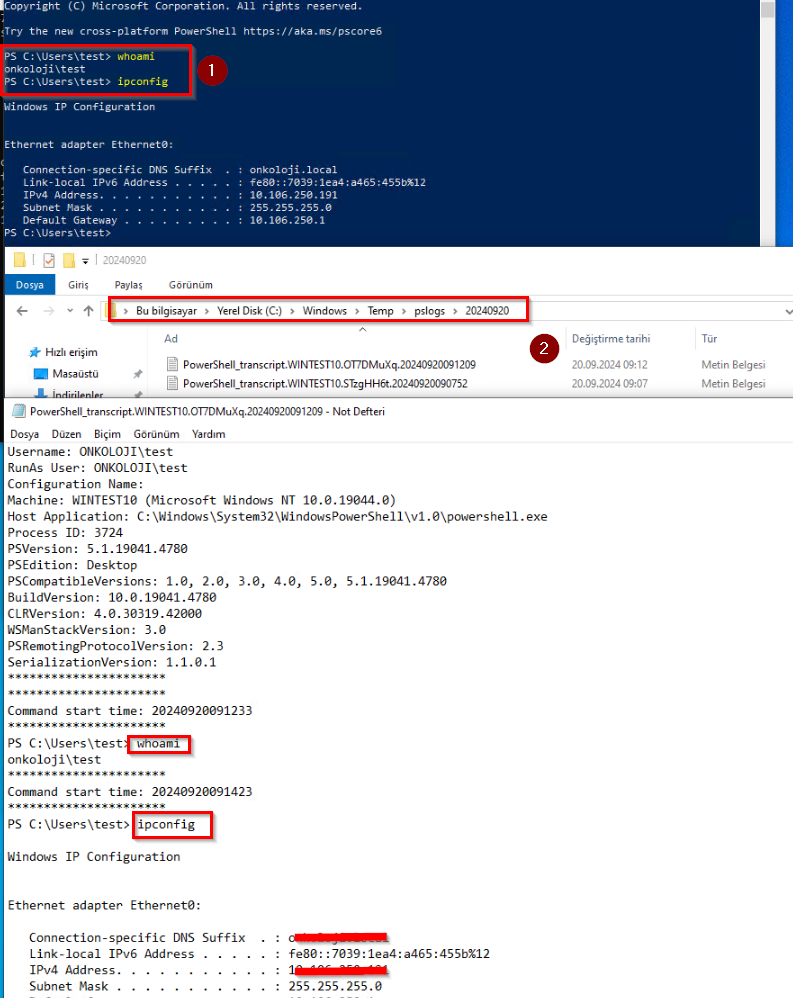
Windows Powershell üzerinde girilen, tab tuşu ile çağırılan komutlar/modüller, çalıştırılan script’ler gibi bir çok powershell loglarının alınması için açılması tavsiye edilen audit’tir. Windows Powershell loglarının EventViewer dışında script içeriği, girilen komutların detaylı bilgisini txt ‘ye yazmak için de aşağıdaki yapılandırmaları ilgili OU üzerinden gpo ile dağıtabilirsiniz.
GPO Configuration
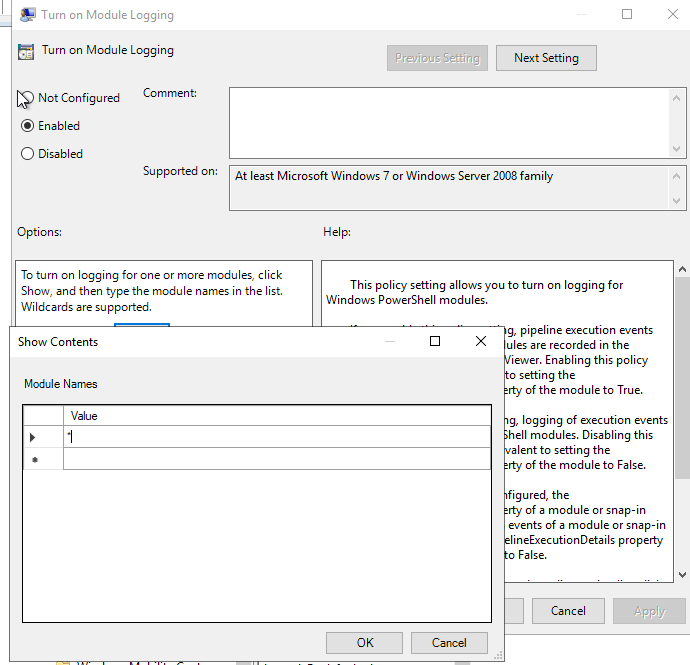
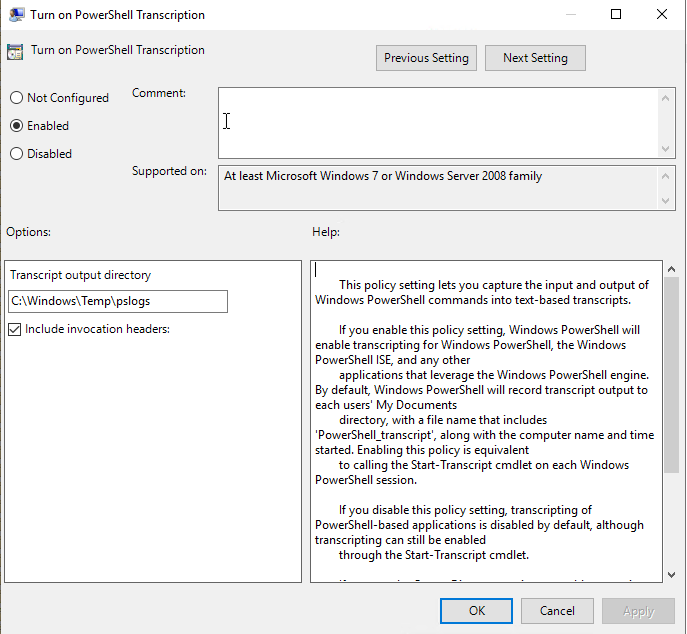
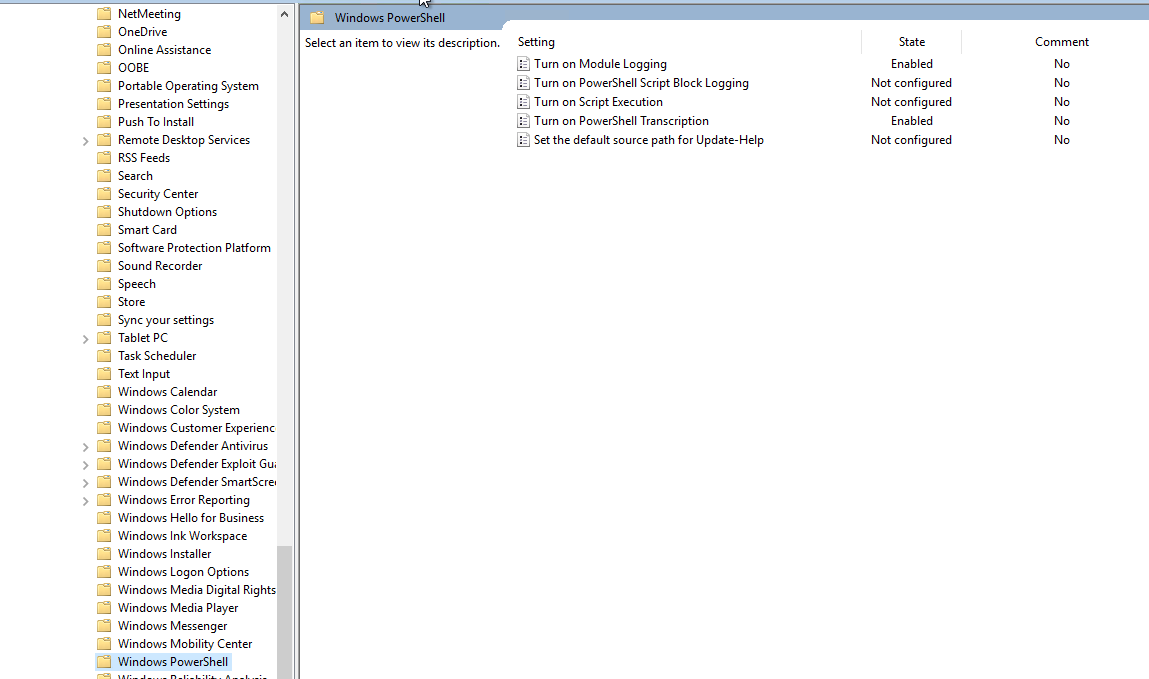
Yeni bir policy oluşturun ve Computer Configuration > Policies > Windows Settings > Administrative Templates > Windows Components > Windows PowerShell yolunu takip edin ve aşağıdaki ayarları gerçekleştirin.
Sample Logs
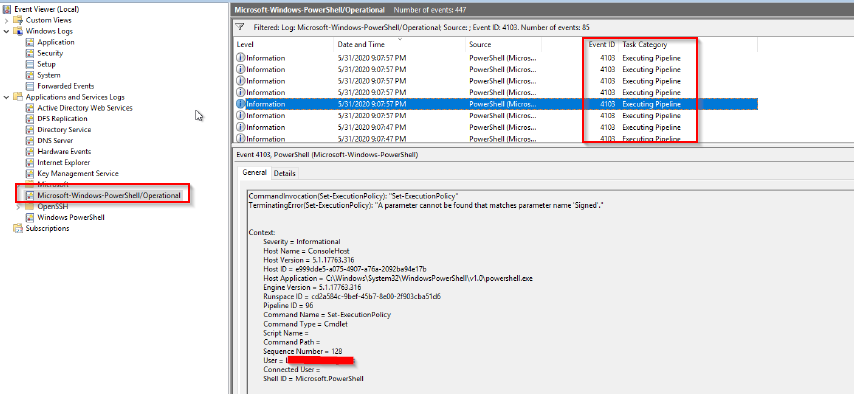
Event ID
| Microsoft-Windows- PowerShell/Operational |
4103 |
Execute Pipeline |
|
|
Microsoft-Windows- PowerShell/Operational |
4104 |
Execute a Remote Command. |
Creating Scriptblock text.
|
|
Microsoft-Windows- PowerShell/Operational |
40961 |
PowerShell Console Startup |
ThePowerShell console is starting up. |
|
Microsoft-Windows- PowerShell/Operational |
53504 |
PowerShell Named Pipe IPC |
Windows PowerShell has started an IPC listening threadon process [Process ID] of the [Domain]. |
|
Microsoft-Windows- PowerShell/Operational |
40962 |
PowerShell Console Startup |
PowerShell console is ready for user input |
|
Microsoft-Windows- PowerShell/Operational |
8193 |
Connect |
Creating Runspace object.
|
|
Microsoft-Windows- PowerShell/Operational |
8194 |
Connect |
Creating RunspacePool object.
|
|
Microsoft-Windows- PowerShell/Operational |
8195 | Connect | Opening RunspacePool. |
|
Microsoft-Windows- PowerShell/Operational |
12039 |
PowerShell (Microsoft- Windows-PowerShell) |
Modifying activity ID andcorrelating. |
|
Microsoft-Windows- PowerShell/Operational |
8196 |
PowerShell (Microsoft- Windows-PowerShell) |
Modifying activity ID andcorrelating. |
|
Microsoft-Windows- PowerShell/Operational |
12039 |
PowerShell (Microsoft- Windows-PowerShell) |
Modifying activity ID andcorrelating. |
|
Microsoft-Windows- PowerShell/Operational |
8197 |
Connect |
Runspace state changed to [State].
|